
Hear what’s inside.
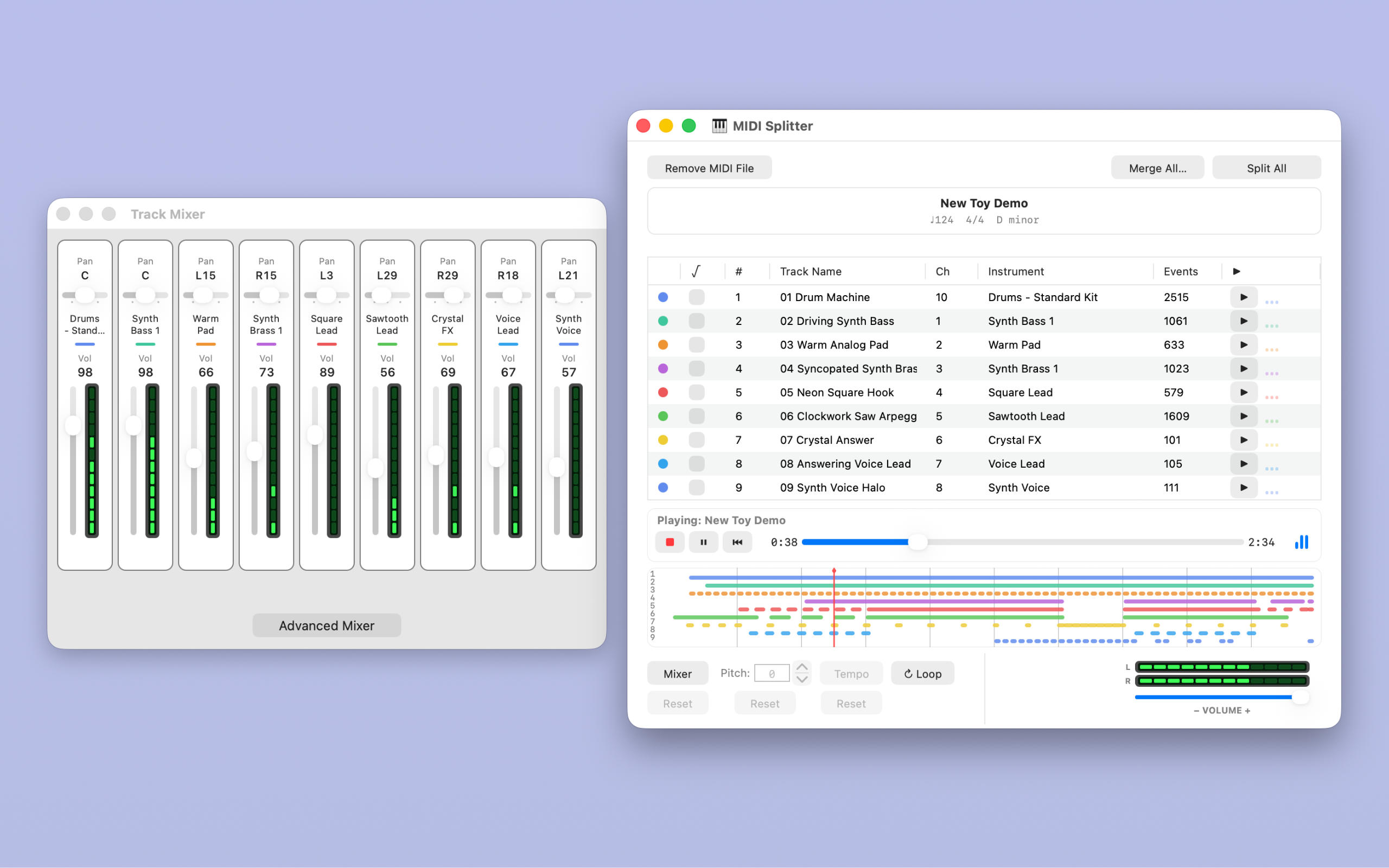
Audition the full arrangement, a chosen group, or a single track. Give parts clear names and try General MIDI instruments.

Available now on the Mac App Store · macOS 15 or later
Your next idea is already in there.
Find the bass line. Isolate the melody. Keep the perfect four bars. MIDISplitter turns a busy MIDI file into musical parts you can hear, shape, and use—without opening a full production session.
From file to fresh idea
Whether you are arranging, remixing, teaching, or practicing, a little preparation can open up a whole song.
Audition the full arrangement, a chosen group, or a single track. Give parts clear names and try General MIDI instruments.
Transpose a melody, adjust the tempo, and balance your tracks. Listen at a comfortable level with a separate playback-volume control.
Split tracks into separate MIDI files or merge parts from the loaded song into one file. Exported copies leave your loaded source intact.
New in 1.5 · Loop playback and export
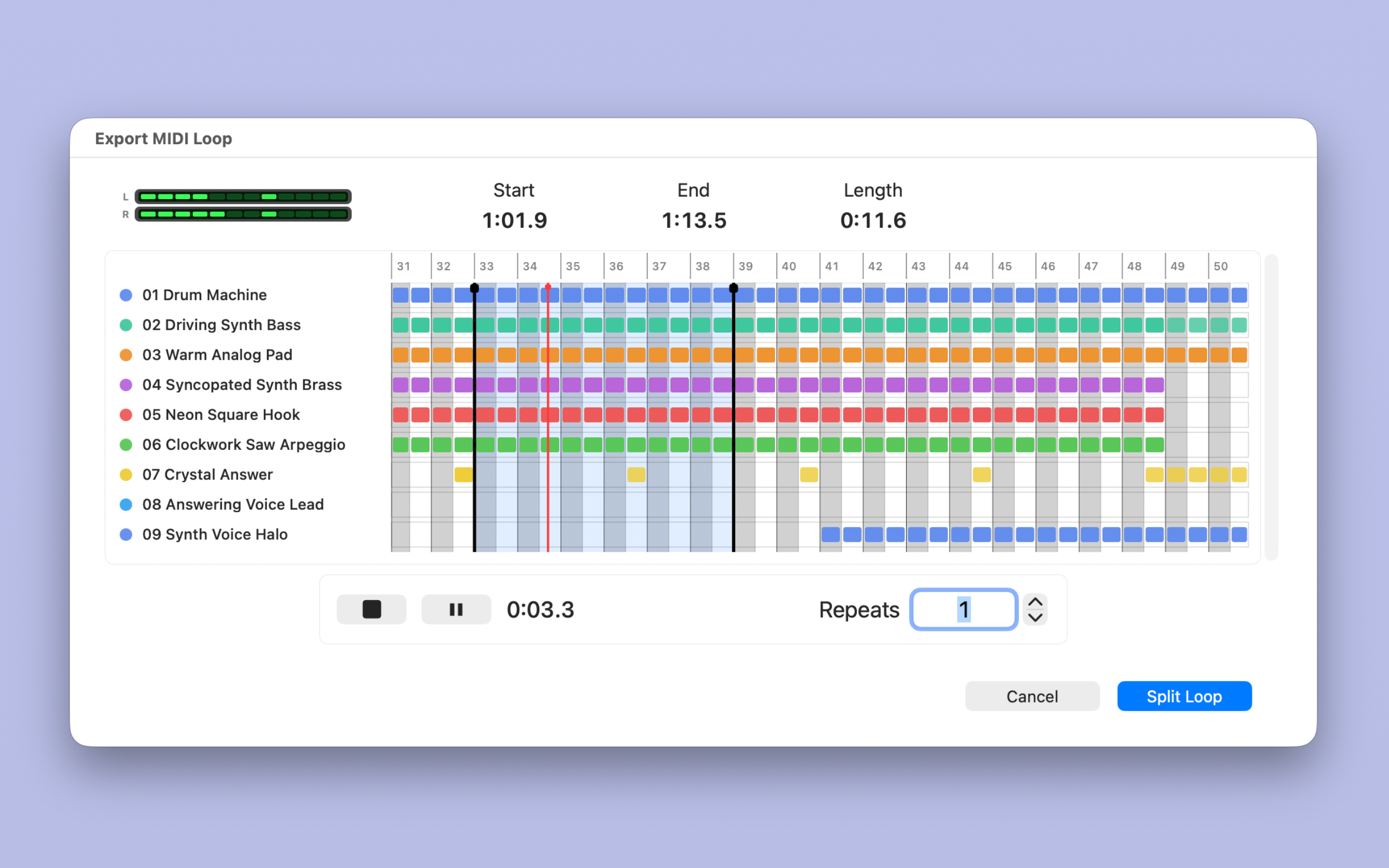
Pick a phrase, refine the loop markers, and audition the parts together. Choose 1–999 repeats, then export separate loop stems or a merged MIDI loop.
Build a practice backing, collect rhythmic ideas, or bring a focused passage into your DAW. A scrolling timeline keeps larger arrangements within reach.
Watch loop exportsNew in 1.5 · Audio Beat Detection
Start with a recording. Drop in supported audio, review the estimated BPM, and compare tempo candidates. Try half-time or double-time, or enter a tempo you already know.
Apply your choice to a compatible loaded MIDI song and hear where it takes you. Beat Detection finds a starting tempo; it does not transcribe or time-stretch audio.
Watch Beat Detection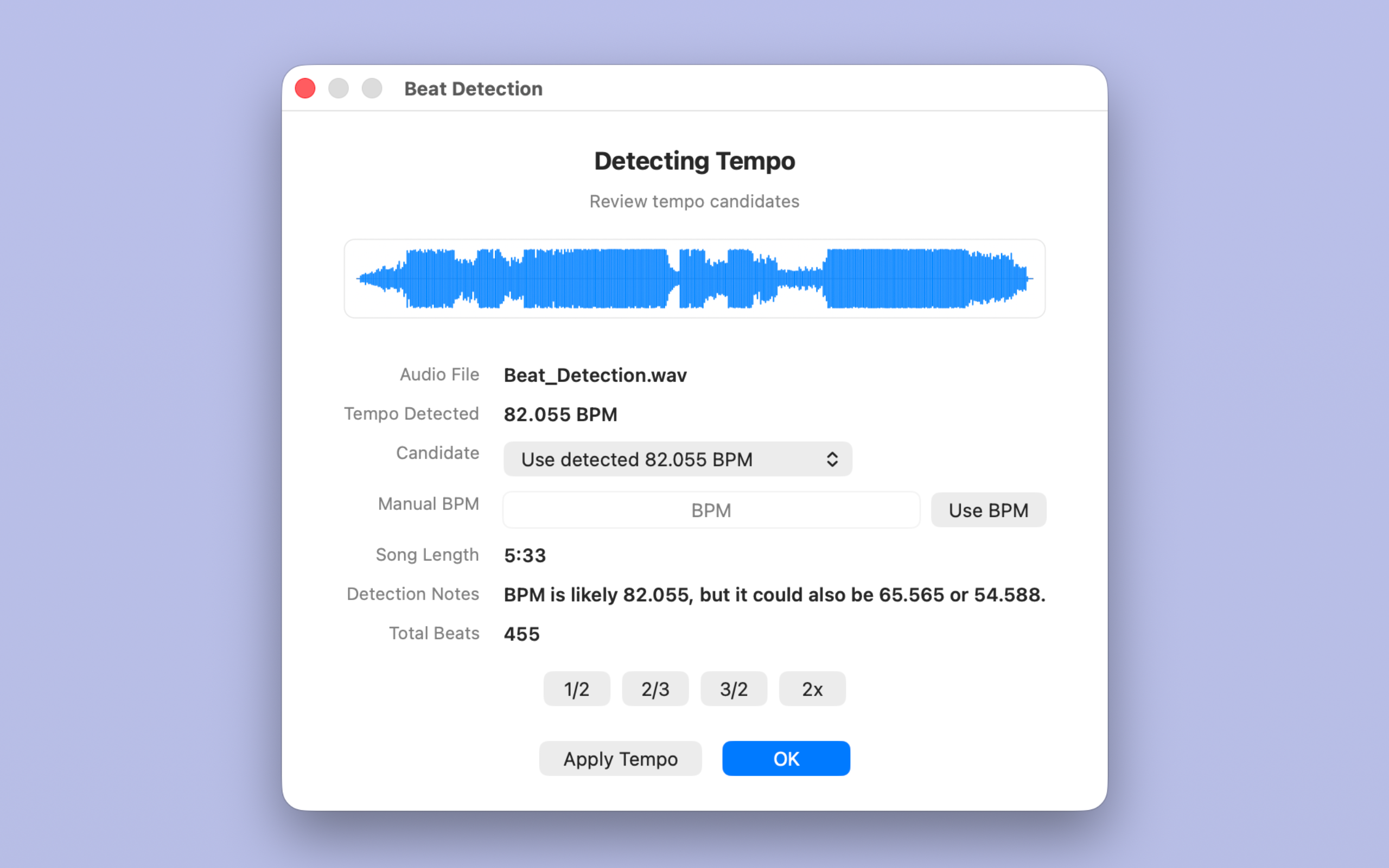
Expanded in 1.5 · Track Mixer
Place parts across the stereo field with Pan. Shape note strength with Velocity and set a MIDI reverb amount in Advanced Mixer. Track and stereo master activity meters help you see which parts are playing.
Stop or pause, make your adjustments, then listen again. Export your mix choices with the MIDI, ready for the next instrument or music application.
The Drum Instrument Picker maps a track’s notes to one chosen General MIDI drum sound. Turn a rhythmic line into a kick, snare, or hi-hat part.
Separate Pitch, Tempo, and Mixer resets let you revisit their starting values while keeping your other choices.
Turn playback down without changing the mix in your exported MIDI. Your ears and your arrangement get their own controls.
New in 1.5 · MIDI 2.0 files
Work with familiar MIDI 1.0 files and supported MIDI 2.0 Clip/SMF2 files. Export .mid for broad compatibility or .midi2 for a compatible destination.
Optional text reports explain what was preserved or converted, so you can take the next step with useful context.
See supported formats and compatibility →Help when you want it
Follow 13 video chapters, from your first file to loop exports and troubleshooting. The searchable in-app manual is there even when you are offline.
MIDISplitter 1.5 for Mac
Split. Mix. Loop. Find a new starting point.